
BIM to Bespoke 3D: The Next Frontier in Architectural Visualisation (2026 Trends & Practical Workflows)
Architectural visualisation in 2026 is less about “one final render” and more about building a flexible visual toolkit: photoreal 3D renders, real-time walkthroughs, 360° VR tours, AR overlays, and BIM-connected pipelines that help teams communicate design intent clearly at every stage.
In Australia’s design and property ecosystem, visual communication has become a common bridge between technical teams and non-technical stakeholders. A builder may need clarity on constructability, a developer may need a strong marketing narrative, and a homeowner may want confidence that a space will feel right in real life.
That’s why 2026 workflows increasingly combine structured data (BIM/CAD) with high-impact visuals—not as separate processes, but as a connected system that supports:
- Design validation (materials, proportions, lighting, zoning)
- Stakeholder alignment (approvals, investor reviews, internal sign-offs)
- Marketing and leasing (hero renders, animated walkthroughs, virtual tours)
- Sales enablement (consistent visuals across brochures, web, social and pitch decks)
1) Smarter BIM Integration: From Model Accuracy to Visual Clarity
BIM isn’t only for coordination and documentation. In 2026, it often becomes the foundation for visualisation—especially when teams want consistency across revisions and multiple views.
What “BIM-to-visualisation” means in practice
- Model preparation: cleaning geometry, naming objects logically, and simplifying details that don’t affect visuals.
- Material intent mapping: translating specifications into realistic material libraries (timber, stone, metal, fabrics).
- Lighting and environment setup: aligning sun studies, interior lighting temperatures, and scene context.
- Export strategy: choosing the right path for stills (offline render) vs interactivity (real-time engine).
Why it matters for architects and builders
BIM-linked visualisation can reduce “visual mismatch” moments—where the render looks right, but the build intent is unclear. When done thoughtfully, it supports clearer conversations around scope, finishes, and spatial expectations.
2) Real-Time Rendering: Interactive Walkthroughs That Support Faster Reviews
Real-time rendering has matured into a mainstream presentation format. The value is straightforward: teams can explore a space, test options, and communicate choices without relying only on static viewpoints.
Common real-time use cases
- Design review sessions: explore sightlines, circulation, and room connections.
- Material and colour comparisons: swap finishes to understand mood and contrast.
- Lighting scenarios: day/night variations, warm/cool lighting, feature highlights.
- Stakeholder presentations: a guided walkthrough for investors, councils, or internal teams.
Where real-time fits best
Real-time is often used to complement photoreal “hero” renders. Think of it as an exploration layer, while still renders remain strong for marketing, brochures, and key approvals.
3) 360° VR Tours and Immersive Presentations: A Practical Tool, Not a Gimmick
Immersive visualisation is increasingly used where “presence” matters—spaces with emotional impact or where scale is hard to explain through drawings alone.
When 360° VR tours help most
- Residential interiors: helping homeowners understand real-life room feel and furniture flow.
- Retail and hospitality: showcasing ambience, lighting mood, and customer journey.
- Off-the-plan marketing: giving buyers a way to experience the concept beyond still images.
- Commercial fit-outs: presenting reception, meeting areas, work zones, and signage placement.
Immersive doesn’t always mean complex
A 360° output can be designed for simple sharing and viewing (web or headset). The key is aligning the experience to how stakeholders will consume it—quick review, guided walkthrough, or marketing preview.
4) AR Overlays: Visualising Design in the Real World Context
Augmented Reality (AR) is useful when stakeholders want to connect the design to a real environment: a site, an existing space, or a context that’s hard to interpret on plans.
Typical AR applications
- Fit-out previews: visualising counters, partitions, lighting features, and seating layouts.
- Facade and massing checks: understanding how a building reads from key viewpoints.
- Staging and styling: trying furniture and decor directions before final selection.
- On-site communication: sharing intent with teams in a more intuitive way.
In 2026, AR is often part of a broader “visual package” rather than the only output. It’s most effective when it supports a specific decision: layout, scale, placement, or feel in context.
5) Photoreal 3D Renders: Still the Cornerstone for Marketing and Approvals
Even as interactive formats grow, photoreal renders remain a key asset for high-impact communication. The difference in 2026 is how teams plan them: fewer random angles, more purposeful storytelling shots.
What makes a render “photoreal” (beyond just sharpness)
- Lighting logic: believable daylight direction, soft bounce light, correct shadow softness.
- Material realism: correct roughness, reflections, imperfections, and edge wear where appropriate.
- Scale cues: believable furniture sizing, door heights, and object proportions.
- Camera composition: focal points, depth, and views that explain the space.
- Context: landscaping, surroundings, and environment that supports the narrative.
6) 2D vs 3D Floor Plans vs Virtual Tours: How Teams Choose in 2026
Floor plans and tours serve different audiences. In many Australian projects (Melbourne, Sydney, Brisbane, Perth), teams use these formats based on how quickly the viewer needs to understand the layout and what level of “spatial feel” is required.
Simple decision guide
- 2D Floor Plans: great for clarity, quick scanning, listings, and documentation-style communication.
- 3D Floor Plans: helpful for non-technical audiences to understand flow, furniture placement, and zoning.
- Virtual Tours: useful when you want viewers to feel space and scale (especially for presentations and marketing).
Instead of treating these as competing formats, many teams treat them as a layered story: 2D explains, 3D clarifies, and tours immerse.
7) Consistency Across Assets: One Visual Language for Web, Social, and Sales Collateral
In 2026, visuals are often repurposed across multiple channels: a website service page, a pitch deck, a listing campaign, and social posts. A cohesive visual system helps keep brand and project narrative consistent.
What “consistency” looks like
- Unified materials across hero renders and walkthrough scenes
- Repeatable lighting direction for a coherent look and feel
- Angle planning that matches how audiences browse (wide establishing shots + detail shots)
- Asset versions optimised for web (lightweight) and print/presentation (high-res)
8) Where “Product Visualisation” Fits in Architecture and Interiors
Product visualisation isn’t limited to consumer goods. In built environment workflows, it can support:
- Joinery and cabinetry previews (finishes, hardware, edge details)
- Lighting product showcases (beam spread, glow, reflective surfaces)
- Fixture selection (taps, basins, handles, appliances)
- Custom furniture (materials, fabric textures, scale)
When integrated well, product-level detail strengthens overall realism and helps stakeholders understand the “final look” without relying only on samples and references.
FAQs
What is architectural visualisation in 2026?
Architectural visualisation in 2026 commonly blends photoreal 3D renders with BIM-aware workflows and interactive formats such as real-time walkthroughs, 360° tours, and AR previews—chosen based on audience and project stage.
How does BIM connect to 3D rendering and walkthroughs?
BIM models can be prepared for visualisation by cleaning geometry, mapping materials, and exporting to rendering or real-time tools. This helps keep visuals aligned with design intent and supports clearer revision management.
What is the difference between real-time rendering and photoreal still renders?
Real-time rendering is designed for interactive exploration and option testing. Photoreal still renders focus on highly refined lighting, materials, and composition for hero imagery used in approvals and marketing.
When should a project use 360° VR tours or AR overlays?
360° tours are useful when viewers benefit from immersion and spatial presence. AR overlays help connect a design to a real-world context (site or existing space). The best choice depends on the decision being supported—layout, scale, or experience.
How should architects choose between 2D floor plans, 3D floor plans and virtual tours?
2D plans communicate layout quickly, 3D plans help non-technical audiences visualise flow and furnishing, and tours help viewers “feel” the space. Many campaigns use a combination to support different audiences.
What should clients provide to start a visualisation workflow?
Typical inputs include CAD/BIM files, elevations/sections, material schedules, reference imagery, and a short brief outlining which spaces matter most and who the visuals are for (approvals, marketing, leasing, internal review).
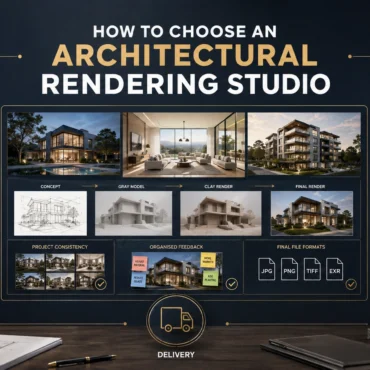
How to Choose an Architectural Rendering Studio
Skip to the answer Home / Blogs / Choosing a rendering studio PORTFOLIO FIT · PROCESS · SCOPE · COMMUNICATION How to Choose an Architectural Rendering Studio in Australia: 10...
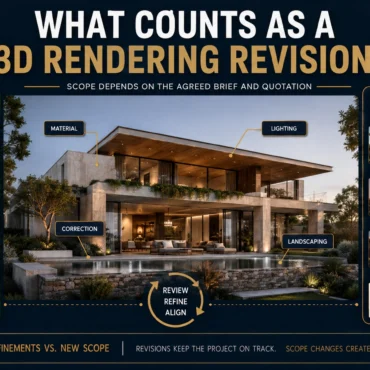
What Counts as a 3D Rendering Revision?
Skip to the answer Home / Blogs / Rendering revisions FEEDBACK ROUNDS · DESIGN CHANGES · CAMERA CONTROL · SCOPE What Counts as a Revision in Architectural Rendering? Feedback, Changes...
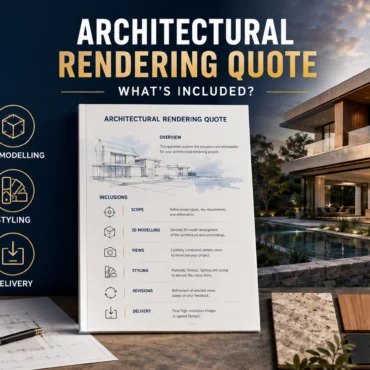
Architectural Rendering Quote: What Is Included?
Skip to the answer Home / Blogs / Rendering quote inclusions SCOPE · REVISIONS · DELIVERABLES · CHANGE CONTROL What Is Included in an Architectural Rendering Quote? Scope, Revisions and...
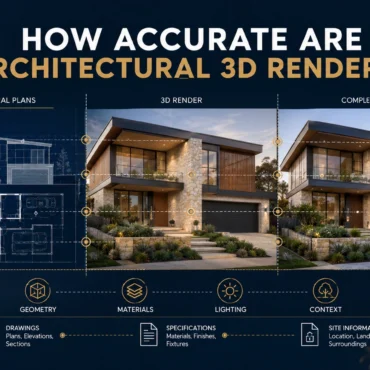
How Accurate Are Architectural 3D Renders?
Skip to the answer Home / Blogs / Render accuracy GEOMETRY · MATERIALS · CAMERAS · ASSUMPTION CONTROL How Accurate Are Architectural 3D Renders? Geometry, Materials and Assumptions Explained A...
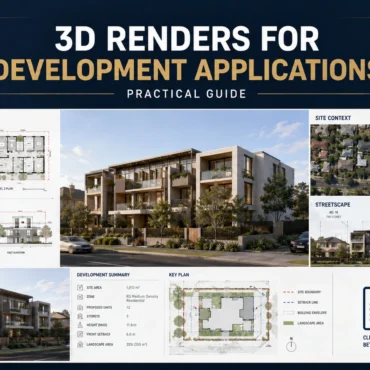
3D Renders for Development Applications | Guide
Skip to the answer Home / Blogs / Development application renders PLANNING COMMUNICATION · DESIGN CONTEXT · STAKEHOLDER REVIEW Can 3D Renders Be Used for Development Applications? An Australian Planning...
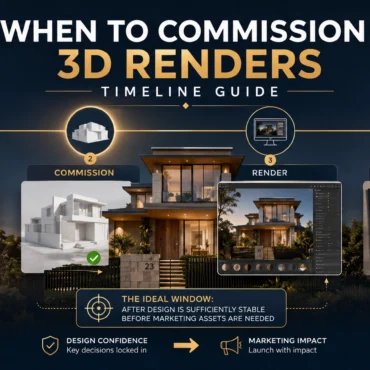
When to Commission 3D Renders | Timeline Guide
Skip to the answer Home / Blogs / Commissioning timeline PROJECT PLANNING · DESIGN READINESS · CAMPAIGN DELIVERY When Should You Commission 3D Renders? A Property Development Timeline A practical...
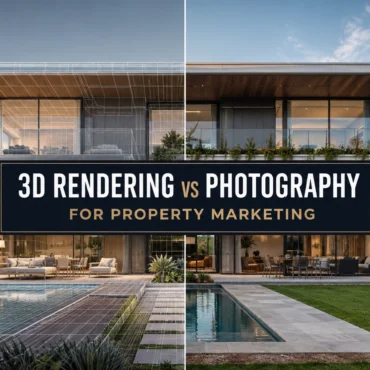
3D Rendering vs Photography: Which Is Better for Property Marketing?
Skip to the answer Home / Blogs / Rendering vs photography PROPERTY MARKETING · CGI · REAL ESTATE PHOTOGRAPHY 3D Rendering vs Photography: Which Is Better for Property Marketing? A...
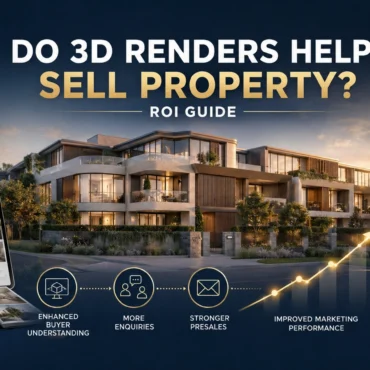
Do 3D Renders Help Sell Property? ROI Guide
Skip to the answer Home / Blogs / 3D rendering ROI PROPERTY MARKETING · ATTRIBUTION · VISUALISATION ROI Do 3D Renders Help Sell Property? A Practical ROI Measurement Guide A...

How to Give Feedback on 3D Renders | Checklist
Skip to the answer Home / Blogs / 3D rendering feedback checklist ARCHITECTURAL VISUALISATION · REVIEW CONTROL · REVISION WORKFLOW How to Give Feedback on 3D Renders: A Revision Checklist...

How to Choose Camera Angles for 3D Rendering
Skip to the answer Home / Blogs / Architectural rendering camera angles ARCHITECTURAL VISUALISATION · CAMERA COMPOSITION · VIEW PLANNING How to Choose Camera Angles for Architectural Rendering: A View-Planning...